Holos started as a mobile app. The idea was simple: your phone runs an ActivityPub server, and you own your data locally. No remote server holds your posts, your keys, or your followers list. If you are not familiar with how Holos works, there is an overview on holos.social.
But not everyone uses the Fediverse from their phone. Many people interact with Mastodon or other platforms primarily from their computer, through a web interface. For them, a mobile-only app is not really an option. A desktop version of Holos makes the project accessible to that audience.
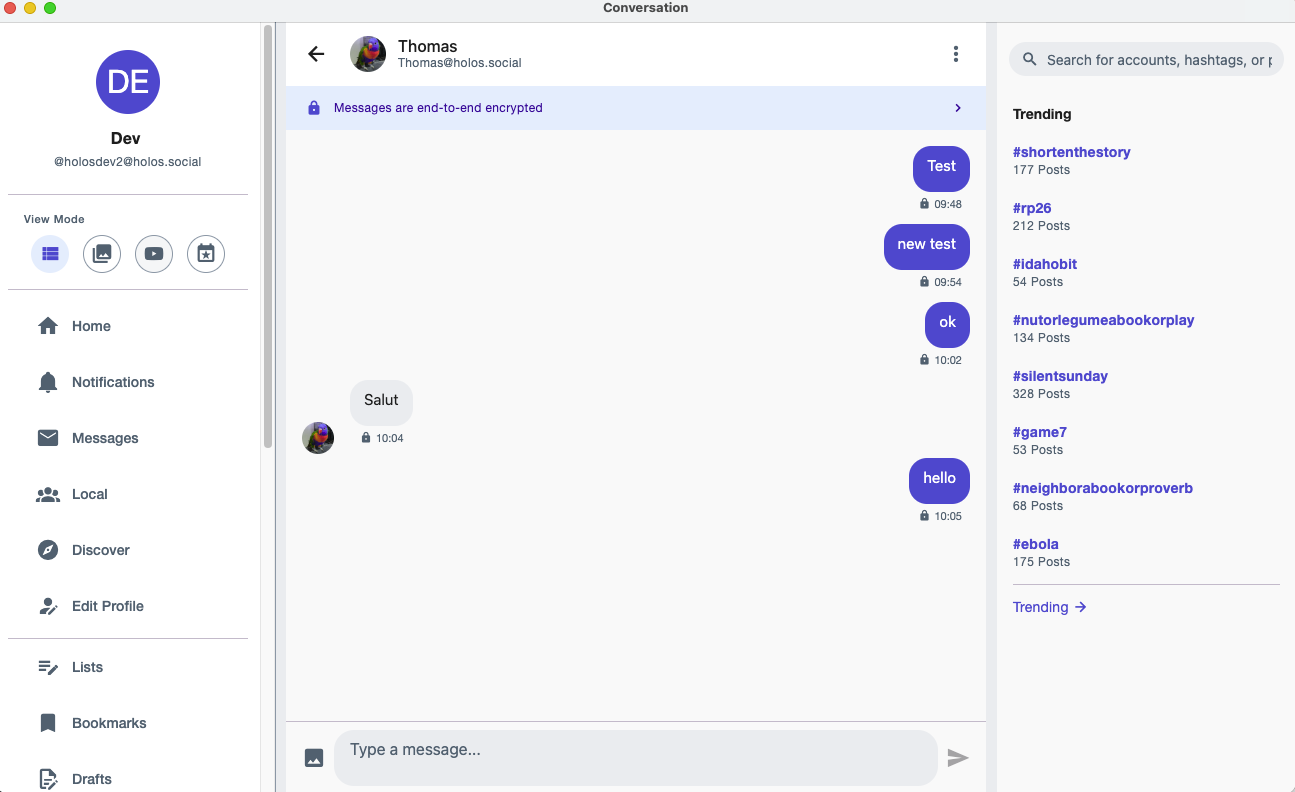
What I am building
The desktop version of Holos uses the same codebase as the mobile app. It is not a separate project or a rewrite. The app runs inside Electron, with the ActivityPub server running in the background, just like on mobile. Your phone and your desktop use the same relay, the same tunnel, the same protocol.
Using Electron means the app bundles a full Chromium browser and a Node.js runtime. The builds are around 230-290 MB depending on the platform. That is large, but it is the tradeoff for reusing the entire mobile codebase without maintaining a second UI. As a solo developer, keeping a single project is the only realistic option.
I currently have builds working for:
- Linux (x64 and ARM64), as AppImage and .deb
- macOS (Intel and Apple Silicon), as .dmg
Windows support is planned but not ready yet.
How it works
Like the mobile version, the desktop app runs a real ActivityPub server locally. When you launch Holos on your computer, it starts a Node.js backend that handles HTTP signatures, activity delivery, and all the federation logic. Your private keys stay on your machine. The relay server only provides a stable address and forwards incoming activities when your device is online.
The UI is the same React Native code that runs on mobile, adapted for larger screens. The navigation uses a permanent sidebar instead of bottom tabs. Posts are displayed in a centered column with a right panel for trending content on wide screens. Actions like compose, reply, or boost use toolbar buttons instead of floating action buttons.
The database is SQLite, same as mobile. On desktop it runs through better-sqlite3 instead of op-sqlite, but the schema and queries are identical. Your data stays in a local file on your computer.
What works today
The core features are functional. You can log in, see your timeline, post, reply, boost, like, search, manage notifications, and browse profiles.
Media playback works, including video (MP4 and HLS streaming via hls.js). Direct messages and end-to-end encryption (Signal Protocol) work the same as on mobile. Backup, recovery, custom domains, moderation tools, all of these are available.
What is not ready yet
Holos currently supports only one device per account. This is not a desktop-specific limitation. If you install the app on two Android phones, or on a phone and a tablet, you will have the same problem: connecting from the second device disconnects the first one.
The reason is that each device runs its own ActivityPub server with its own copy of the database. Both devices need the same private key to sign activities, and both connect to the relay independently. But today, the relay only accepts one session, one WebSocket connection, and one tunnel per account.
With the desktop version, this becomes more visible. People will naturally want to use their phone and their computer at the same time. Multi-device support is the next step I am working on. The relay needs to handle multiple connections per user, and incoming activities need to be delivered to all devices without one consuming them before the others can sync.
Early builds
The desktop builds are available for testing. They are not stable releases, things might break. At the time of writing, the current version is 1.6.0.
- macOS Intel (dmg)
- macOS Apple Silicon (dmg)
- Linux x64 (AppImage)
- Linux x64 (deb)
- Linux ARM64 (AppImage)
- Linux ARM64 (deb)
Newer versions may be available at files.fedilab.app/holos-desktop.
Feedback is welcome on Codeberg or on the Fediverse at @HolosSocial@mastodon.social.